
You paid for a full year of Verizon Prepaid. You kept the line active. Now you want a Verizon prepaid unlock after 365 days so you can use the phone on another carrier. The lock is the only thing in your way.
Verizon dropped the old 60-day rule for newer prepaid phones. Phones that Verizon activated on or after 27 January 2026 now need a Verizon prepaid unlock after 365 days. This guide explains who qualifies, how to count your days, and how to request the unlock without wasting a call.
Quick Answer: If you activated your Verizon Prepaid phone on or after 27 January 2026, it needs 365 days of paid, active service. After that, you can request the unlock — it is not automatic.
What Changed in 2026 for a Verizon Prepaid Unlock After 365 Days?
For years, Verizon unlocked most phones after 60 days. That rule was simple, and many people planned around it. Then the Federal Communications Commission granted Verizon a waiver, DA 26-43, on 12 January 2026. The waiver ended the old 60-day rule.
Verizon then changed its prepaid policy. The new policy took effect on 27 January 2026. Verizon also updated its consolidated Device Unlocking Policies page, which took effect on 18 February 2026. You can also check the Device Unlocking FAQs for prepaid phones.
The change did not move every phone to the new rule. Your activation date decides which rule applies to you. That date matters more than your plan name or your phone model.
Before and After 27 January 2026
Use this table to find your rule in seconds.
| Activation date | Rule | When it unlocks |
|---|---|---|
| On or before 26 January 2026 | Old rule | Automatically after 60 days of paid activation and service |
| On or after 27 January 2026 | New rule | Upon request after 365 days of paid, active service |
If you are not sure when you activated the phone, check your order email or your Verizon account. Do not guess, because one day can change your rule.
Who Qualifies for a Verizon Prepaid Unlock After 365 Days?
A Verizon prepaid unlock after 365 days is not open to every prepaid phone. You must meet all of the conditions below. If one condition fails, Verizon can refuse the request.
Your Phone Must Meet These Conditions
- It must be a Verizon Prepaid-branded phone.
- It must work and turn on.
- It must have no lost or stolen report.
- It must carry no fraud flag.
A lost, stolen, or fraud-flagged phone stays locked until Verizon clears that flag. A dead battery can also slow the process, so make sure the phone turns on before you call.
Your Service Must Meet These Conditions
- You activated the phone on or after 27 January 2026.
- You have 365 days of paid, active service on that phone.
- The line stayed active during the days you are counting.
Paid service means you paid for the service, not just that the phone sat in a drawer. Active service means the line was live and in use. Both parts matter, and Verizon checks them.
Key fact: Suspended days do not count toward the 365 days. Verizon cannot unlock a suspended, lost, or stolen device while it is in that state. Count only paid, active days.
How Suspended Days Change Your Date
This is the part most people miss. A suspension pauses your clock. It does not erase your paid days, but it does not count them either. So you must add the suspended days to your eligibility date.
Say you activated your phone on 27 January 2026. Without a suspension, 365 days of service would end on 27 January 2027. But if Verizon suspended your line for 30 days, your date moves to 26 February 2027. Add every suspended day, even short ones.
Here is a simple way to work it out. First, add 365 days to your activation date. Then add the total number of suspended days. That final date is the earliest day you can request the unlock. Keep a note of it, and keep your payment records too.
If Verizon gives you a different date, ask them to explain it. Ask how many suspended days they counted. A short, calm question often clears up the gap.
How to Request a Verizon Prepaid Unlock After 365 Days
Do not wait for the phone to unlock by itself. For prepaid phones under the new rule, you must ask. These steps will help you finish it in one call.
- Find your IMEI. Dial *#06# on the phone and write down the number. You can also find it in Settings, under About Phone.
- Check that the phone still rejects other SIMs. Insert a SIM card from another carrier. If the phone asks for an unlock code or shows a SIM error, the lock is still on.
- Count your 365 days. Start from your activation date and add any suspended days. Make sure you have passed that final date.
- Charge the phone and turn it on. The unlock only works when the phone is on and working.
- Call Verizon at 800-922-0204. Say you want to request a prepaid device unlock. Give the agent your IMEI when they ask for it.
- Ask for confirmation before you hang up. Ask the agent to confirm that Verizon sent the unlock and when it will take effect.
- Test the phone again. Insert a non-Verizon SIM and restart the phone. If it works, the unlock succeeded.
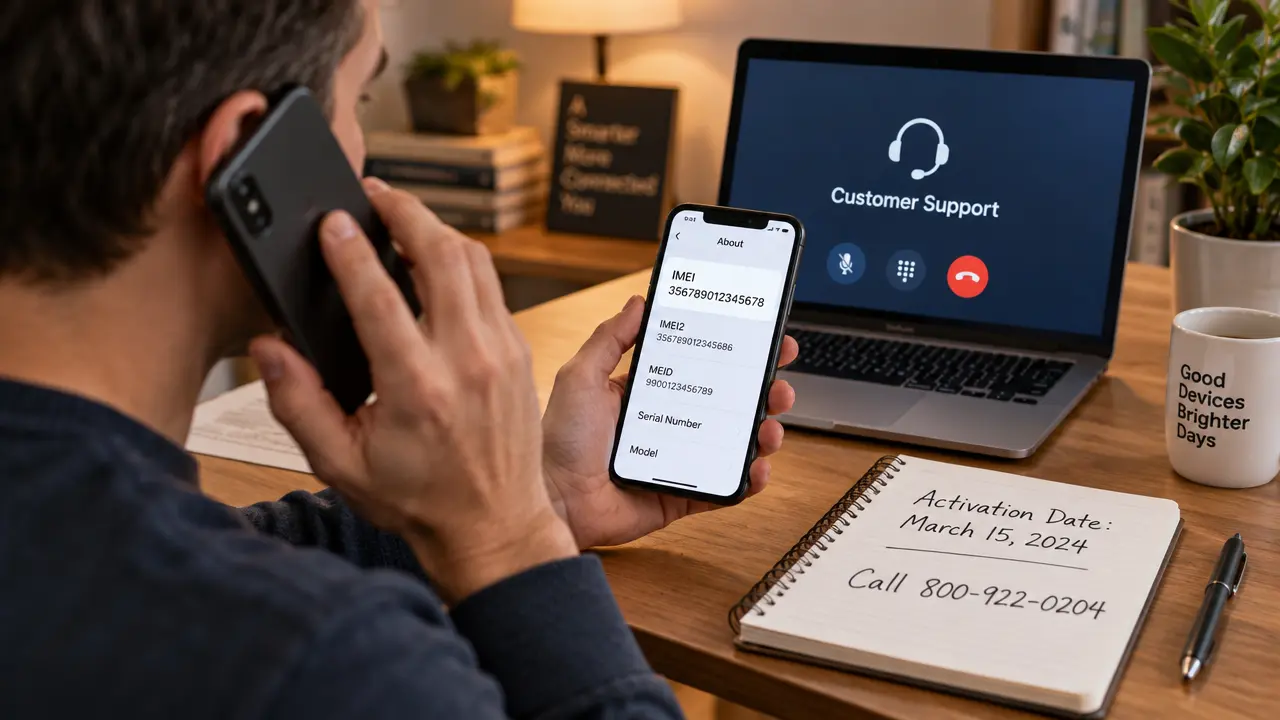
Quick Tip: Call from a different phone if you can. That way, you can keep the Verizon phone turned on and test it during the call. Also, write down the date, the agent’s name, and any reference number they give you.
What to Do If Verizon Refuses Your Request
A refusal is frustrating, but it is not always final. In many cases, you have not met one of the conditions above yet. Work through them below.
Check the Three Usual Reasons
First, check your activation date. If you activated the phone before 27 January 2026, the old 60-day rule may apply instead. Our guide on a Verizon phone still locked after 60 days explains that side of the change.
Second, check for suspended days. Add them to your date again, and see if you are really past 365 paid, active days. Third, ask Verizon to check for a lost, stolen, or fraud flag on the phone.
Ask for Your Exact Eligibility Date
If the phone is not eligible yet, ask for the exact date it will be. Write that date down. Then set a reminder and call back on that date. A clear date is better than a vague answer.
Denials work differently from carrier to carrier. If you want to see how another carrier handles a refusal, read our guide on a T-Mobile unlock request denied. The steps are not the same, but the habit is: get the reason, fix it, and try again.
Do not pay a third-party site for an unlock code. Only Verizon can unlock a Verizon phone. A paid code from a random site can waste your money and put your phone at risk.
The Conflict Over the Verizon Prepaid Unlock After 365 Days Rule
Here is the honest part. Verizon’s own pages do not agree with each other. The main Device Unlocking Policies page says the lock is removed automatically after 365 days. The Prepaid page says the phone is unlocked upon request.
That conflict leaves customers stuck in the middle. If you sit and wait, you may wait past your date. If you call too early, the agent may tell you to wait. So do not rely on one page alone.
Our advice is simple: check your eligibility date yourself, then request the unlock once you pass it. If the phone still rejects other SIMs after 365 days of paid, active service, call 800-922-0204 and ask for the unlock. Keep calling until you get a clear answer.
This is why a Verizon prepaid unlock after 365 days needs a request, not just patience. The request puts your case in front of a person. That person can check your days, your flags, and your phone status.
FAQ
Can I request a Verizon prepaid unlock before 365 days?
No. You must complete 365 days of paid, active service first. An early request will be refused, and it will not shorten the wait.
Does the 365-day rule apply to phones activated before 27 January 2026?
No. Phones activated on or before 26 January 2026 follow the old rule. They unlock automatically after 60 days of paid activation and service.
Do suspended days count toward the 365 days?
No. Suspended days do not count. Add them to your eligibility date, and count only paid, active days.
What do I need to request a Verizon prepaid unlock after 365 days?
You need your IMEI and a working, turned-on phone. Dial *#06# to find your IMEI. Then call 800-922-0204 and ask for a prepaid device unlock.
What if my phone was reported lost or stolen?
It cannot be unlocked while it is in that state. The flag must be cleared first. Contact Verizon and ask what is needed to clear it.
Will my phone unlock by itself after 365 days?
Verizon’s pages disagree on this point. One page says the lock is removed automatically, and the Prepaid page says it is unlocked upon request. Do not sit and wait. Check your date and request the unlock yourself if the phone is still locked.
Final Thoughts on Your Verizon Prepaid Unlock After 365 Days
The new rule is longer, but it is clear once you know your activation date. Count 365 paid, active days, add any suspended days, and request the unlock by phone. That is the whole process.
If your phone is still locked after that, do not assume the system will fix it. Call Verizon, ask for your exact eligibility date, and keep a note of every answer. A little patience and one clear request will get most prepaid phones unlocked.
